Timer+
How Timer+ stands out
- Saved timer and stopwatch library
- Custom interval templates for workouts, cooking, and focus
- Date timers, history, voice prompts, and 31 alert sounds
- Built for iPhone, iPad, Apple Watch, widgets, and Live Activities
Timer+ vs Apple Clock
Apple Clock is great for quick alarms, simple timers, and stopwatch laps. Timer+ is built for people who need reusable timer setups, labeled stopwatches, custom intervals, date timers, voice prompts, widgets, Live Activities, and timer history across iPhone, iPad, and Apple Watch.
Timer+
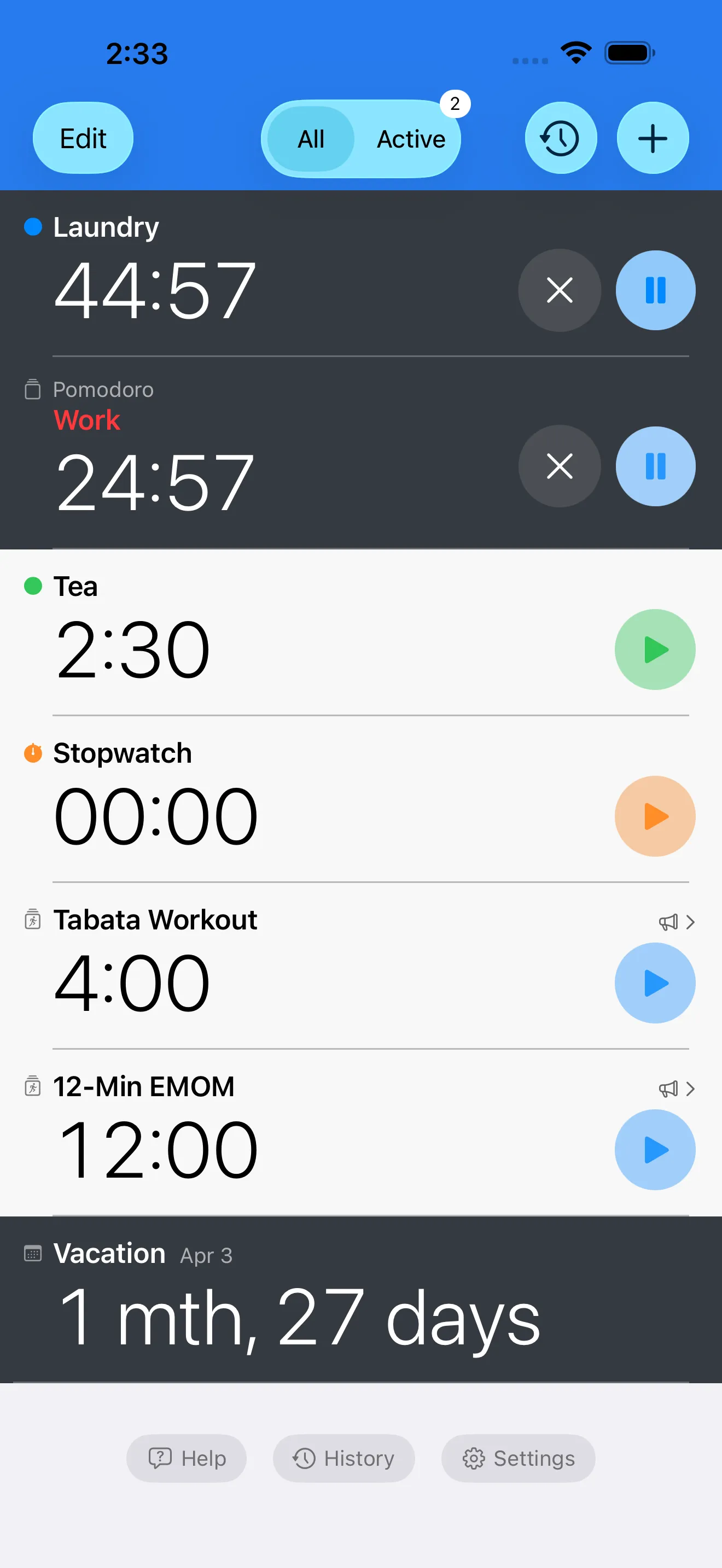
Fast countdowns with labels, colors, sounds, and saved setups.Apple Clock
Excellent for simple timers that do not need much setup.Timer+
Organize many labeled timers in a reusable timer list.Apple Clock
Supports basic multiple timers for everyday use.Timer+
Run labeled stopwatches alongside countdowns and saved workflows.Apple Clock
Includes a simple stopwatch with lap support.Timer+
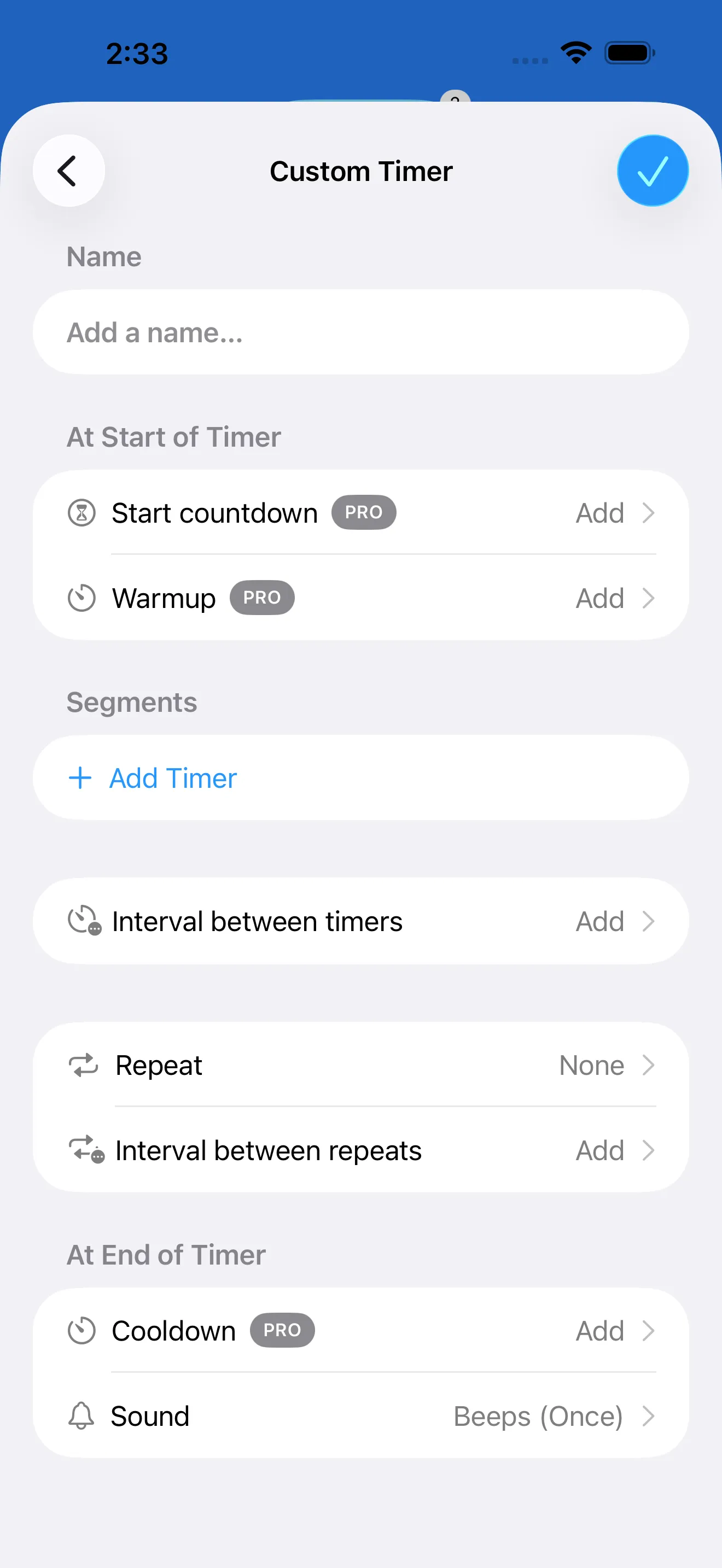
Build warmups, work blocks, rests, rounds, cooldowns, and reusable presets.Apple Clock
Best for basic countdowns rather than structured interval programs.Timer+
Save common routines so workouts, study blocks, and cooking flows are ready again.Apple Clock
Recent timers help with quick reuse, but it is not a template library.Timer+
Choose from 31 alert sounds and use voice prompts for interval transitions.Apple Clock
Uses straightforward timer alerts from the system Clock experience.Timer+
Count down to future events or track elapsed time since a past date.Apple Clock
Focused on clock, alarms, stopwatch, and duration timers.Timer+
Review completed runs and repeat timing structures that worked.Apple Clock
Keeps the built-in experience simple and lightweight.Timer+
Designed for iPhone, iPad, Apple Watch, widgets, Live Activities, and Dynamic Island.Apple Clock
Deeply integrated because it is built into Apple platforms.A quick timer is enough for many moments. The problem starts when you need the same setup again tomorrow, when several timers need meaningful labels, or when a workout or cooking flow needs a warmup, work block, rest, repeat, and cooldown. Timer+ keeps those timing structures reusable instead of disposable.
Apple Clock gives you a simple stopwatch when that is all you need. Timer+ is better when elapsed-time tracking is part of a broader timer setup: labeled stopwatches, countdowns, and interval timers all living in the same organized workspace.
HIIT, Tabata, EMOM, Pomodoro, therapy exercises, classroom rotations, and cooking sequences all need named steps and reliable transitions. Timer+ supports custom segment names, repeat logic, sounds, voice prompts, and history so the timer can guide the routine instead of just ending it.
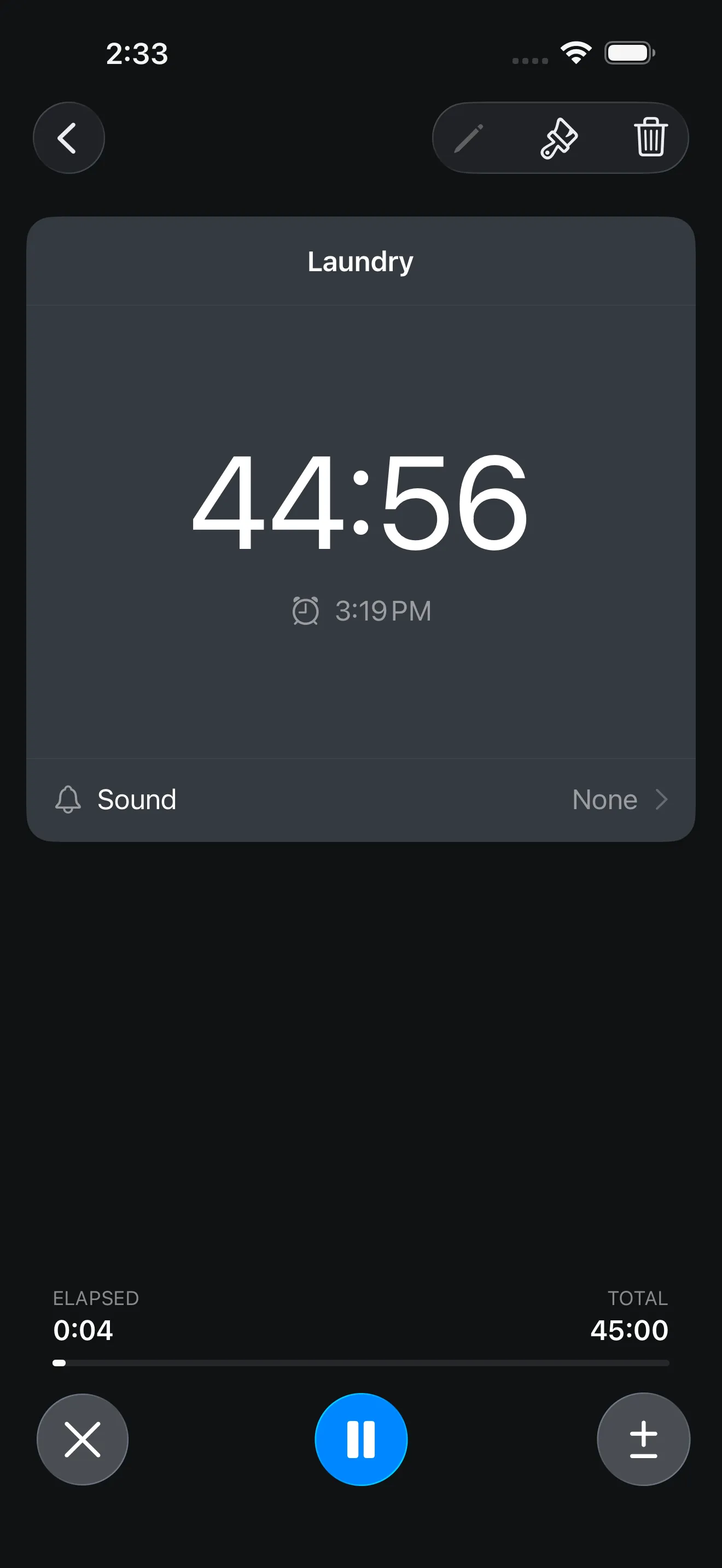
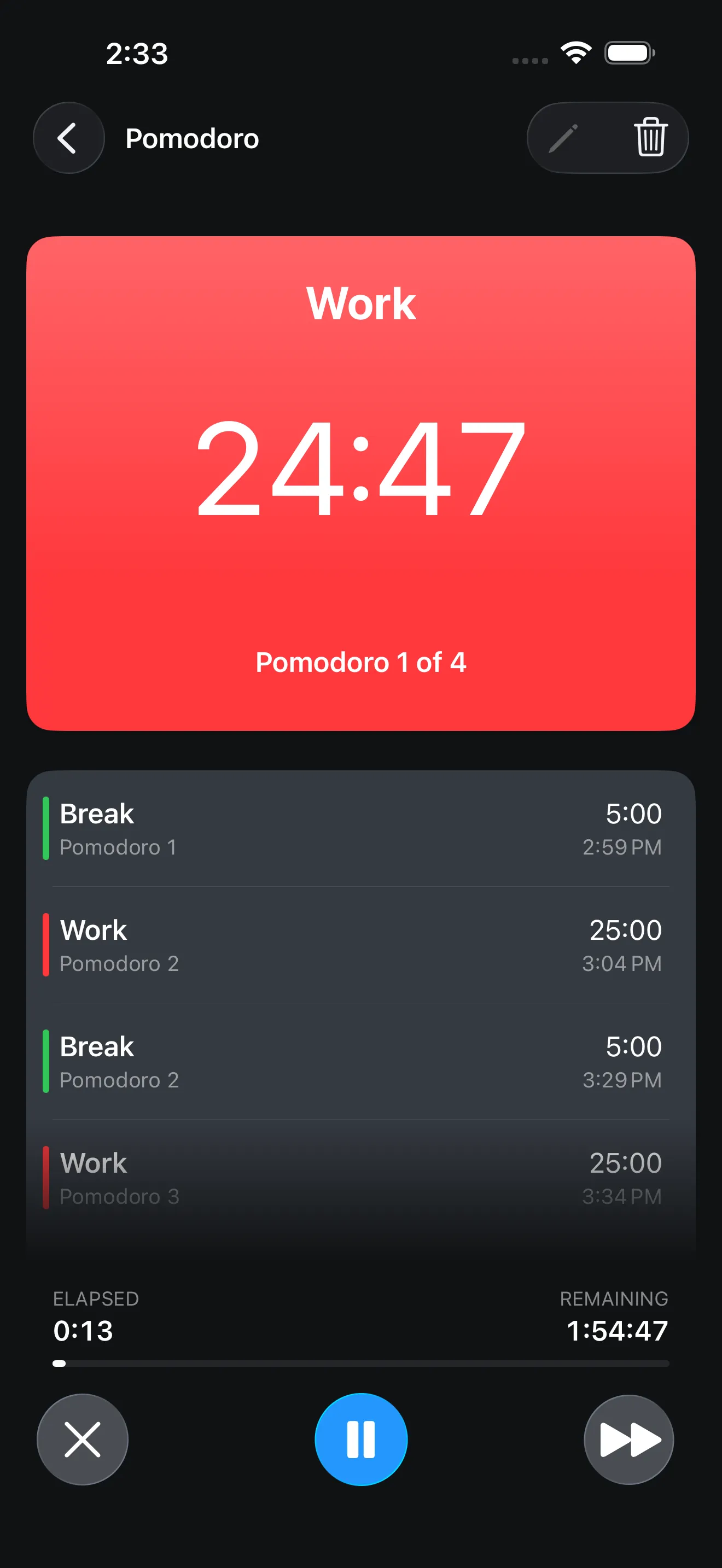
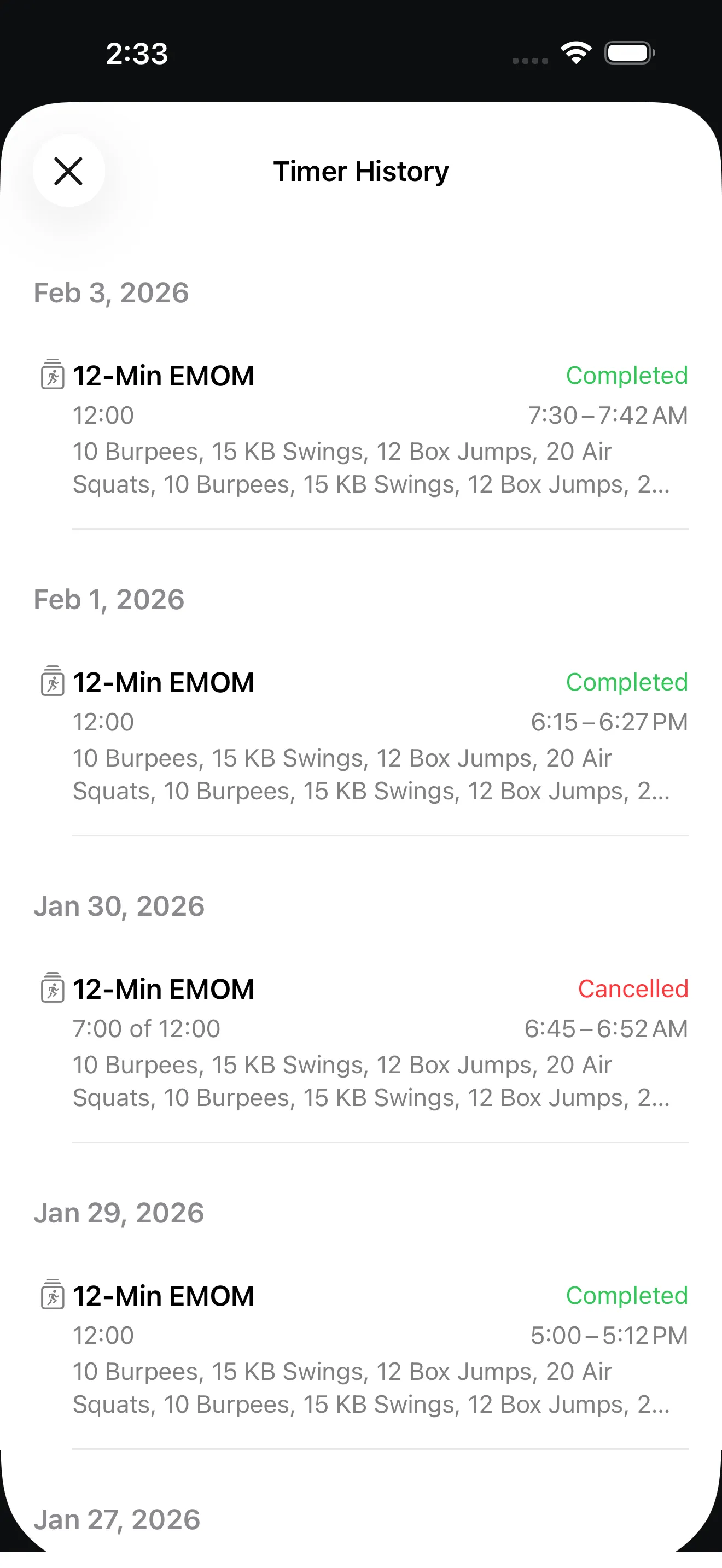
Timer+ is better when you need reusable timer setups, labeled stopwatches, custom intervals, date timers, richer alerts, history, widgets, and Live Activities. Apple Clock is still a good choice for basic one-off timers, alarms, and stopwatch use.
Yes, Apple Clock supports multiple timers for basic everyday timing. Timer+ is designed for people who want a more organized timer library with templates, labels, sounds, custom intervals, and history.
Timer+ can become your main app for countdowns, stopwatches, date timers, and interval routines. You may still use Apple Clock for alarms, world clocks, or quick built-in tasks.
Yes. Timer+ is built for iPhone, iPad, and Apple Watch, with timer visibility through widgets and Live Activities.
Download Timer+ for multiple timers, stopwatches, custom intervals, date timers, widgets, Live Activities, Apple Watch, and reusable timing templates.